A stack to calm the mind and stay on track
(Note: All drawings by the author. In crayon. See the bottom of this page for more about that.)
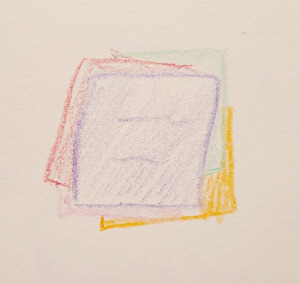
A stack of sticky notes is a low-stress system that helps me to keep track of big projects, immediate tasks, and everything between.
I’ve been using this "stack system" for well over a year and it’s had a tangible positive effect on my productivity and well-being. It might work for you too.
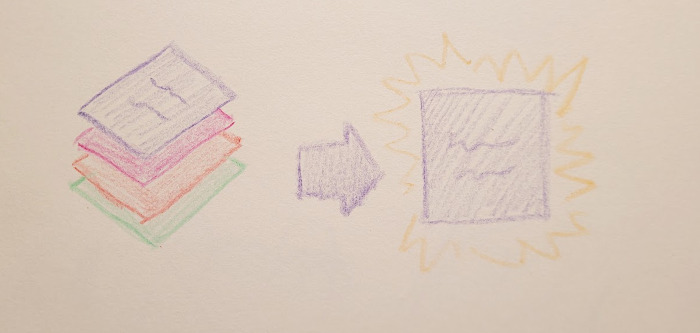
A stack has just one visible top item.
The illustration above shows the entire concept. It’s literally a stack of items (tasks or projects) on small square sticky notes. There can be many items, but there is only one active top item visible.
That’s it. That’s the whole system.
What I want to get across is why it works for me, how I benefit from it, and neat methods for implementing a stack for different purposes.
Why the stack works for me (and why To-Do lists don’t)
Let’s start with what doesn’t work. For me, a regular To-Do list is a disaster because:
-
Seeing the whole list is overwhelming.
-
I have limited free time. If I let myself pick from a list, I get little bits of things done but rarely finish anything.
-
It’s challenging to depict and track dependency trees of tasks as they are discovered.
-
The list quickly gets all messed up when reality happens.
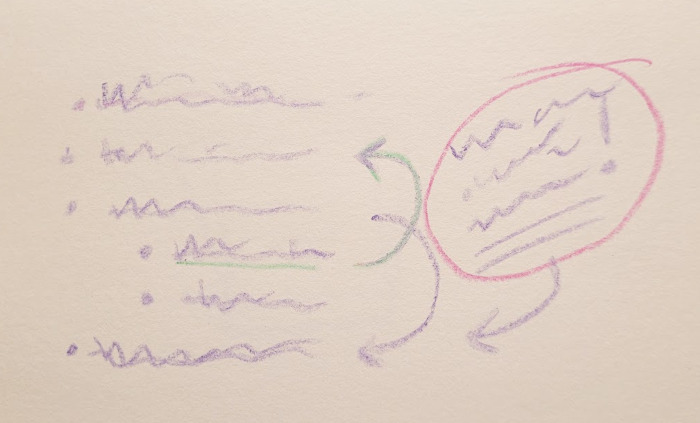
Illustration of the average To-Do list after encountering reality.
By contrast, the stack:
-
Shows me the one thing I want to work on.
-
Manages dependencies "automatically".
-
Forces me to be intentional.
-
Hides all of that from me, yet earns trust over time.
A couple of those deserve some explanation. How could some sticky notes possibly do all that?
First, let’s be crystal clear about how to use this "system".
How to use a stack
Step 1: Write down the task
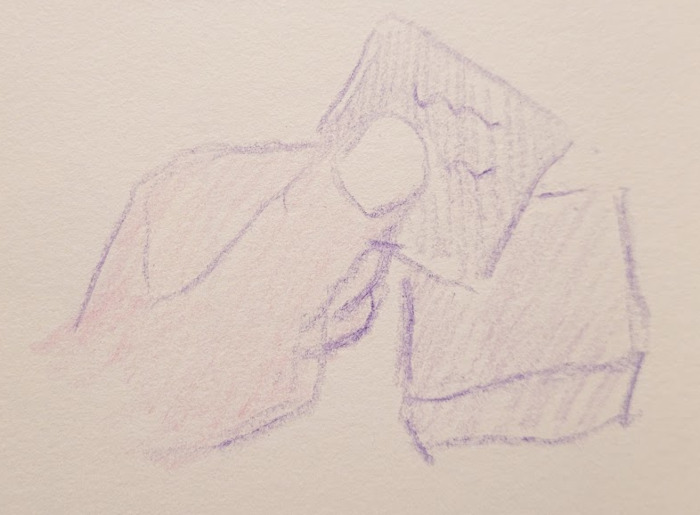
Write the task on some paper. I highly recommend sticky ones such as "Post-it" notes. I like the "mini" ones. Notes that stick to each other are much less likely to get scattered and lost when you bump into them or when you spread them out on a desk to re-arrange them.
Step 2: Add the task to the stack
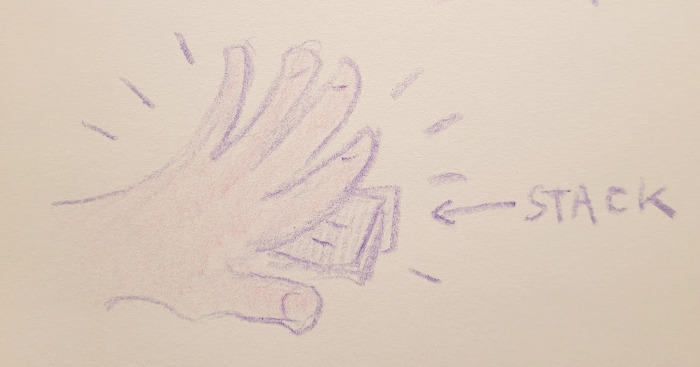
Slap that task on the top of the task. This is now the only thing you’re working on.
When I say the only thing you’re working on, I mean for the current context. If you’re an artist, maybe you have a stack that sits on a bench in the studio. As long as you’re in there, you’re doing the top item on that stack.
You could have a separate stack in, for example, the kitchen with the chores and errands needed for the holiday with family you’re preparing to host tomorrow.
When you’re in a particular time or place, only one stack should be "active".
Step 3: When complete, remove the task from the stack
Removing completed tasks is an act that brings a physical reality to your accomplishment. It can be a whole ritual. You can crumple up the paper or light it on fire. Or store completed tasks in a face-down "done" stack to show how much you’ve accomplished (you’ll probably be pleasantly surprised to flip through it later).
It also reveals the next thing to do, which becomes the new active task.
How I benefit from the stack
I’ll be repeating this first benefit a lot, because it is deceptively simple and powerful.
It’s the part that’s staring you in the face when you look at the stack:
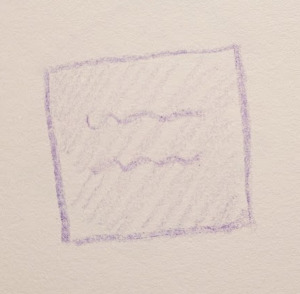
A stack shows just one item at a time. That’s the only thing to think about right now.
I have this tiny time slot in the morning between family time and work time when I try to do a little bit on a personal project. My "project stack" (more on that in a moment) shows me what I’m working on. It’s amazingly effective at keeping me on track. I see this one item and I work on that item.
Wait, that actually works?! I know, it’s hard for me to believe too.
Solves the task dependency problem
I also have this habit of starting personal projects that spawn dependencies, or "mini-projects". For example, check out the list from my initial notes about stacking here.
The beauty of a stack is that it’s awesome for managing dependencies. It’s a first-in, last-out (FILO) data structure that keeps track of your tasks automatically. When you realize you need to do something else before you can accomplish the top item, you just "push" another note on the top of the stack. When you finish that one, you "pop" it off, revealing the item underneath. You don’t have to think about it, it just happens!
Solves the "reality" problem
The stack also handles interruptions with ease. The external world doesn’t give a rip about your carefully laid plans. When somebody dumps a task (or three) on your lap, you just write them down and slap them on top. As with dependencies, when you complete each one, it reveals the one below, until you reach your original task.
Have you ever gone into a daze as you attempt to keep track of a bunch of "emergency" tasks while also trying to stay focused on some context-heavy work?
Earl K. Miller, Professor of Neuroscience at MIT:
You don’t actually multitask, you task-switch. This wastes time, makes you error-prone and decreases your ability to be creative.
And even if human brains could multitask, I’d still be one of the least multi-tasking people you’ll ever meet.
I need to work on One. Thing. At. A. Time.
This system gives me the calm and order I need to accomplish things when reality strikes.
Solves the overwhelming list problem (decision fatigue)
I warned you I would be repeating this: The power of the stack is that it shows me one item at a time. I know there are other tasks in there, but as the saying goes, "out of sight, out of mind."
As I wrote in Finishing Things, I’ve been genuinely surprised at how well I’m able to stick with one active project when it’s written right there in front of me. I have more to say about this particular aspect in the "Task Stack" versus "Project Stack" section below.
Even when I’m feeling under the gun by a whole bunch of tasks that just came in all at once (typically at work), it is surprisingly calming to have a list with just a single item staring back at me on my desk. Call it a mind trick if you want, but it works for me.
By contrast, choosing from a list (even if the "choice" is just forcing myself to keep picking the first item) is a decision.
Making decisions is a great way to deplete your energy and willpower before you even start doing anything!
That’s also why I use the The "Next" Note in my personal projects and at work. It eliminates that cold-start "what do I do next?" decision when I return to the project (maybe even months or years later).
Solves the trust problem (hidden tiger attack)
As you gain trust in a system that manages a thing, your brain learns that it can relax and stop worrying about that thing.
If I know, deep down in my gut, that all of the things I need to do are in the correct order in my task stack, then I can relax and fully concentrate on the current item.
A busy schedule is like a jungle. You know there are tigers in there somewhere, so part of your brain is always on alert. Writing down all of the things you need to do is like marking the positions of the tigers on the trail. Now that you know where all of them are, you can stop worrying about the future ones.
I’ve seen a lot of talk about why this works, most of it based on intuition, but there have also been compelling studies. Here’s an example from a monitored sleep study by the Sleep Neuroscience and Cognition Laboratory at Baylor University (from an article by Claudia Hammond for the BBC in 2024, emphasis mine):
It is best to list every specific task, rather than to use general headings, even though it will make your list longer. Professor Scullin’s study found that busy people who created lists of more than 10 tasks fell asleep an average of 15 minutes faster than people who didn’t write out to-do lists. They also fell asleep six minutes faster than those who only compiled short lists. So, make it comprehensive.
Again, it makes intuitive sense to me: If you don’t trust that you’ve got everything accounted for, of course your brain is going to act like there’s hidden tigers out there waiting to pounce. You can’t relax. You have a hard time falling asleep.
By contrast, if your brain trusts that you’ve accounted for all the tigers, it feels secure to relax and fall asleep, or give that current task your full concentration.
Like any system, a stack can can only earn your complete trust by proving itself in action.
What a stack is probably not good for
Now I’ve shared some of the biggest benefits. But before we go any further, I think it’s really important to examine what kinds of things that don’t seem to work well in a stack.
Here’s some activities I find to be "unstackable":
-
Habits or daily activities.
-
Tasks that might be delayed by other people or external events.
-
Events that are scheduled for a particular time.
Each of these is probably best handled with a calendar or traditional "To-Do" reminder note stuck somewhere that can’t be missed when the time is right.
The stack should always be showing the thing to do right now and that just doesn’t make sense for reoccurring, scheduled, or event-dependent projects.
Everything else that would normally go in a To-Do list is probably fair game. The size of the list doesn’t matter and the time scale doesn’t matter.
And that leads me to another discovery of mine: Not all stacks are the same! Until now, I’ve just been talking about "a stack", but the following section is about the two distinct types of stacks I use.
"Task Stack" versus "Project Stack"
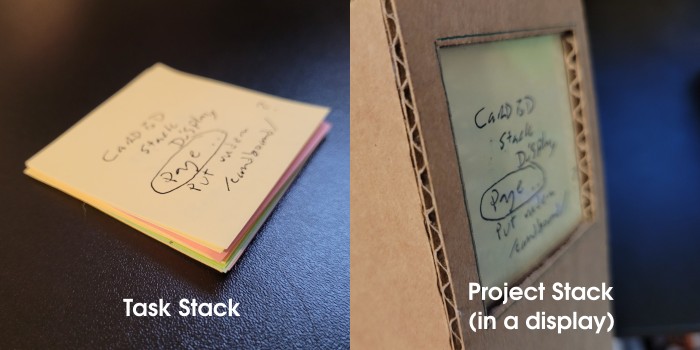
The picture on the left above is a stack in the raw, just some sticky notes on a desk. This is what I’m thinking of when I’m describing a "task stack".
On the right is the same stack, but now behind a display window. This is a "project stack". I currently have only one of these, but I could certainly have more, if appropriate. (As you’ll see below, I’ve practically made enough displays to decorate the house with them.)
I want to show this to you because I think it best demonstrates how this one stacking mechanism supports two very different ways of looking at time.
Task stack: A transient thing for handling dependency and urgency in daily life.
Project stack: A long-term plan for intentional living.
The raw task stack on the desk is meant to be updated very quickly. Adding, removing, and re-ordering the tasks takes just seconds. The point here is to get this stuff out of my sight as fast as possible so I don’t lose my current train of thought!
The project stack in a display still functions exactly the same way, but the time scale is completely different. It is not meant to be changed quickly. Nor is it easy to see the items below. In fact, that’s of the whole point.
Let me explain.
The purpose of the project stack display
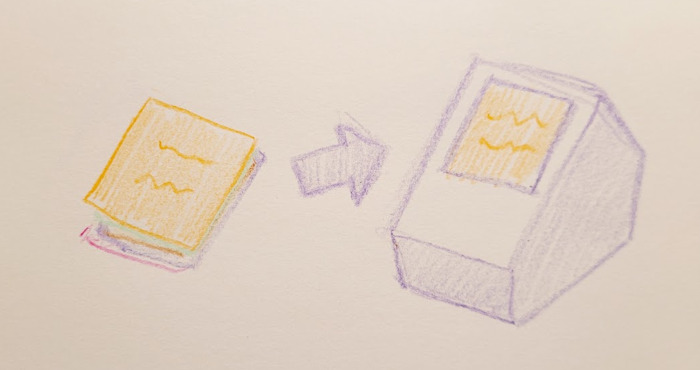
When I made my first cardboard project stack display, the idea was simply to make the stack nicer to look at and harder to misplace on the desk.
The less obvious benefits revealed themselves over time:
-
The angled display is right there for me to see when I boot up my computer.
-
Unless I open it up, I can’t see the whole list of items inside the display.
-
Adding items takes time, forcing me to be intentional about it.
-
Removing items is a ceremony, allowing me to celebrate a completed item.
-
Re-arranging the stack is, like, a whole thing, so I don’t do it very often.
By definition, we can only give our full attention to one thing at a time. Well, the stack display is a physical manifestation of that fact.
The stack also forces you to put all of the items in order. That feels more constraining than a list, maybe even a little bit uncomfortable? But eventually you realize that it’s just forcing you to reckon with the fact that you will have to do these things in some sort of order in real life. That’s just reality.
Like I said, the display is about a larger time scale than the loose stack on the desk. Items in here could take anywhere from hours to months to finish. Mine has many years of projects I want to do in it. I last re-arranged it about four months ago.
The display contains the correct order of all of the dependencies I could think of. (Some of my projects depend on others.)
It still handles quick tangents and surprise dependencies. I occasionally slap other stuff on the top of the display. It’s okay! (Just be mindful about adding too many of these.)
The display gives me the complete peace of mind that the whole dependency tree will be resolved when I hit the bottom of the stack (at which point I guess I’ll be shuffling off this mortal coil).
Seeing just one thing at a time reduces my decision fatigue and keeps me focused. It really works!
Make your own stack display

I wanted to make a display design that could be reproduced by just about anyone with some cardboard, a utility knife, and some sort of glue or tape.
The result is the display above.
Here are my step-by-step instructions: How to make a cardboard Project Stack display
Or get creative with it!

Before coming up with my final design for the reproducible how-to design above, I had an absolute blast coming up with all of these other cardboard displays.
Maybe one of them will give you an idea for your own design: Cardboard Project/Task Stack Display Ideas
The task stack in the trenches (true story)
The task stack was a life-changer on an overwhelming day at work. Urgent tasks with "blocker" sub-tasks just kept coming in. Now, I’m no good with context switching on the best of days, but this was one of those "when it rains, it pours" kind of situations where stuff was coming from all sides. I was truly losing my mind (like, tunnel vision) trying to keep track of where I was with all of these different tasks.
I have a desk notebook for work, but a list was not cutting it.
I finally just gave up with the list and started writing the items on sticky notes and slapping them in a pile.
After I completed the top "blocker" item and removed it, I realized I had just revealed the thing it was blocking below it. Whoa, this was absolutely "free" functionality that didn’t require any thinking at all.
Holy crap, I had re-invented my project stack out of desperation! (This was just weeks after I’d first "discovered" the system for my personal projects and I hadn’t yet fully realized how powerful it could be in a stressful situation.)
I started "popping" tasks from the stack and by the time I got to the bottom, I was done and my brain was buzzing and there was a small pile of little crumpled yellow squares of paper in on my desk next to the keyboard. It was an incredible feeling.
On that day, the stack earned my complete trust.
The tangible joy of popping items off the stack
A digital checklist is fine. Crossing things off a written To-Do list is nice. But actually removing an item from a task stack is even better.
I mentioned at the top that removing items can be an entire ritual. Especially if that little paper note represents a whole project that took serious time and effort to complete.
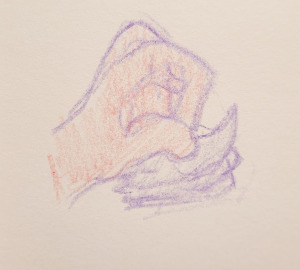
Pull off that note with a flourish of your hand. Like a magician revealing a card from the top of the deck. Voilà, another thing is complete!
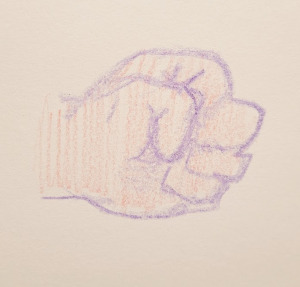
You can crumple it up with great satisfaction. Feel the paper in your fist and hear the crinkle. You are very powerful. You have literally crushed this task.
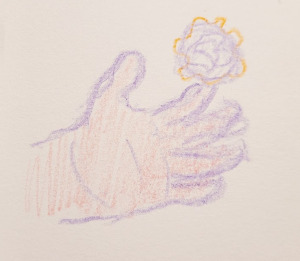
Release it to the void. It is done forever and shall darken your door no more. What a relief. That was a tough one, yes?
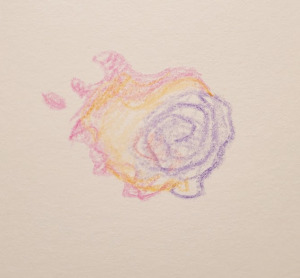
Wait. What was that flicker of light? Did the note just spontaneously combust? What a surprise!
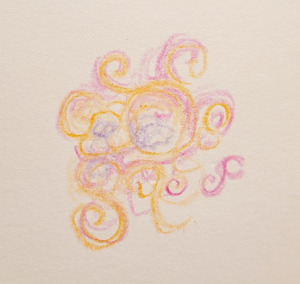
Ah, now you understand. It is merging with the primordial dream-stuff of life itself. However big or small, there is Something New in the Universe. A finished task achieves immortality…
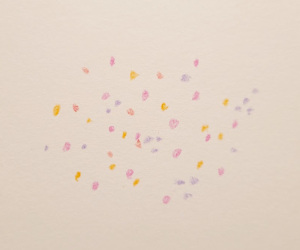
…And exists forevermore in the constellation of your accomplishments. Another twinkling light to guide your way when things seem dark.
About the drawings
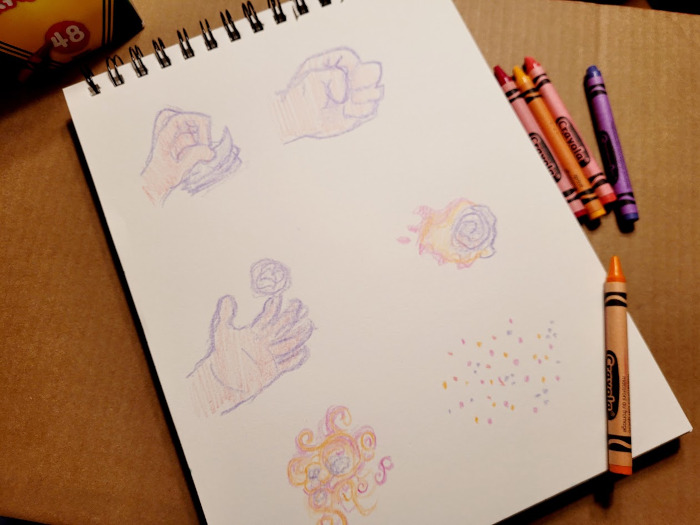
Yes, these were actually done with crayon. Here’s why:
First, I currently have a huge backlog of articles to write and half-completed projects to finish. I wanted to illustrate this one, but was feeling overwhelmed and intimidated by the amount of time and effort that would take.
Using crayon feels like play. (Also, do you remember that special wax crayon smell?)
Crayon is not erasable. I just went with the first thing I drew. Obviously these are not perfect drawings. I resisted the temptation to re-work them. I was done in a short sitting and felt… brave?
Lastly, I’m making a not-so-subtle point about human-made illustration. I think you know what I’m talking about. This is the sort of thing I want to see in the world right now, so I’m doing my part. Bust out those crayons, people!
Happy stackin'!