How I got through my inbox in only two months
Note: Illustrations are pen drawings from my sketchbook, as you’ll see at the bottom of this page.
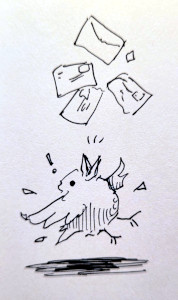
In May of this year, I boldly announced that I would be tackling my email backlog in Project Inbox 2026.
I won’t repeat anything from that page other than these two facts about my inbox when the "project" began:
-
When I started, the messages went back to August 2025 and came to an astounding 52,000 words.
-
All of it was directly written to me by humans. I’d already cleared all the spam and newsletters, etc.
In a little less than two months after I started, I’ve replied to every one of those emails. In fact, I’ve been replying to replies (and new messages) for a couple weeks.
(If anyone happens to be reading this who sent me an email between August 9th 2025 and July 20th 2026, and haven’t received a response, then it may have been caught by the spam filter. I did rescue a couple messages from there, so I know it can happen. Please do re-send.)
The inbox is not completely empty right now. That’s intentional. I’m trying to learn how to respond to follow-up messages in a healthy semi-weekly cadence that will be sustainable.
People are not "projects"
I want to be really clear about what I mean when use the term "project" in this context.
I’ve got a small slot of time in the morning when I usually get up before the rest of the family and have some quiet time on the computer. I’ve slowly built up the discipline to use that time to consistently work on one main project.
When I set my inbox as my "main project", it simply meant that I used my quiet time in the morning to respond to email. I replied at other times, too, but that solid block in the morning was really important.
It does not mean that I think of responding to people as a "project".
(It also doesn’t mean that I didn’t allow myself to do anything else during that time. Writing email often sparks ideas for Cards and other small improvements on this website. So rather than give myself a huge backlog of notes, book reviews, etc., I’ve tried to keep up on those additions/changes as they occur.)
How it felt
Declaring this as my sole project helped me feel better right off the bat. It let me relax and not rush through the replies.
As I understand it, humans don’t generally have a multi-task ability and I’m one of the least multi-tasking humans you’ll ever meet. It’s important for me to feel like the thing I’m working on is the right thing, or it is very hard for me to concentrate.
But feeling truly sanguine about the mountain of unreplied messages came with practice and time. At first, it was really hard not to constantly apologize for being so late, but I got better at that as I went. (Some of you will know that a few apologies slipped through anyway. Sorry, LOL.)
I always feel better about something when it’s moving along, even if what remains still feels very big and very intimidating. Because at least I know that if I’m making some progress, it will eventually be done.
But it was more than that. As I responded to 10 messages, then 20, then 30, my feelings changed from guilt and overwhelm to gratefulness for having so many people write such heartfelt and/or interesting things to me.
By the time all of the messages fit on a single screen, the shame and overwhelm was gone entirely and was replaced with a feeling of unhurried excitement.
Tools: An email client and my new personal contact database
My main weapon of choice is the Aerc terminal mail client. The thing to understand about Aerc is that it is a normal mail handler, and also a terminal emulator. When I compose an email, I’m typing in a Vim session running under a "tabbed" terminal in Aerc. Everything is handled through temporary files.
As you can imagine, this not only makes Aerc incredibly customizable, it also integrates extremely well with my existing personal ecosystem of text file and tools.
And speaking of that, this whole Inbox 2026 project seemed like the perfect opportunity to take another stab at something I’d been wanting to do ever since I read Derek Sivers’s Why you need a database (sive.rs):
…I’m going to recommend you go further than that, and also keep track of … your private notes about people ("served in the army, loves talking politics")
That’s something I’ve struggled with a lot. One of the real boons of email is that it lets you keep long-term "pen-pal" relationships going. But I’ve found that relying on my memory is a very poor way to keep a record of things I’ve learned about someone scattered across dozens of messages stretched over a span of years. And when I forget, I feel like a bad pen-pal.
(Of course, I have the original email messages, but it’s not reasonable or reliable to piece together a long-term understanding of another person by searching for and re-reading the entirety of our previous conversations!)
I need some notes and I need them to be very handy.
Since Aerc lets you launch any terminal application from custom keyboard shortcuts, I knew I could create a seamless integration between my email client and my contact database.
The only problem is that is that I didn’t have a contact database. I’d searched for a good solution years ago and nothing had seemed quite right. I knew I’d be writing my own.
Introducing Addrbook!
What I came up with is a little Ruby program called Addrbook (repo).
It’s a CLI application with a couple commands for listing, finding, and editing contact entires. It uses a hybrid system of both text files and relational database. I’ve been extremely happy with this system.
I don’t know if this will help sell the idea, but here’s a diagram from my desk notebook followed by a description:
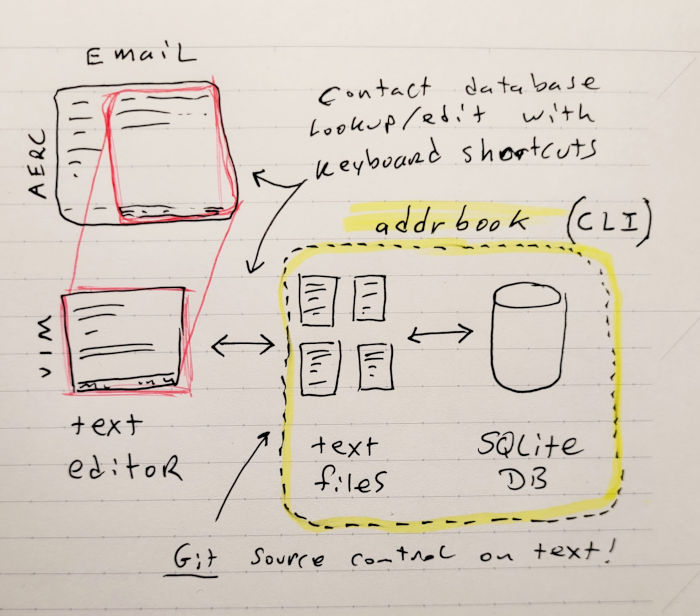
You can read the full details in the project README in the repo linked above. But here’s the important points:
-
You edit Addrbook entries with your favorite text editor
-
You view the entries with your favorite pager
-
The entries are stored in a relational database (SQLite)
-
The text files are not removed, so you always have a source control and backup-friendly copy of the data!
Because I can call up these entries for the current contact using keyboard shortcuts within Aerc, it’s super fast and convenient to add/edit/view my notes for a contact. It opens up in Vim within a new tabbed terminal emulator in Aerc.
The shortcuts I set up in aerc:
-
aais short for "address add" and it creates a new entry for the selected contact (current email message). -
aeis short for "address edit" and it looks up the selected contact for viewing or editing.
Both commands let me know if I’m trying to create an entry that already exists or look up one that doesn’t, so it’s safe to just try it at any point. I found that it was very handy when creating new entries to read the body of the email (it’s a temporary text file after all) into my contact file and then extract bits out of that.
Here’s what a contact looks like:
Contact: 42
   Name: Bilbo Baggins
  Added: 2026 July - Interested in my notebooks
  Email: bibob@example.com
  Phone:
    URL: http://the-shire.lotr
    URL: https://rivendell.lotr

Likes to adventure (unusual for Hobbits)
The-shire is his blog
Don't mention "the ring", whatever that is.
As you may have guessed, the top part is structured data that corresponds with
the relational data in the database. You’ll notice that some of them, like
URL, can have more than one entry. Anything after the blank line is
free-form text, also stored in a field in the database.
(After trying out various formats, I opted not to store mailing addresses in structured data. Instead, they’ll just go into the free-form text area. Probably in a little indented block. It’ll be fine.)
It’s hard to really explain how seamless this feels. I often forget I’m interacting with a database at all. All I ever see are these text files. But if anything is amiss, it won’t corrupt the data. I’ve been using this without issue for two months.
Another neat thing about having notes for contacts that I was able to add some "TODO" items. I’ve got a couple of those with things like, "Send an email when I do XYZ." When I do XYZ, I’ll remember I wanted to let somebody know, and I can search for these TODOs. Another little piece of mind.
Since addrbook is a CLI command, getting data in and out of it is dirt
simple. For example, to get the format to make the ficticious Bilbo Baggins
entry above, I just ran :r! addrbook cat 42 to read existing entry number 42
into Vim.
Okay, I’ll stop going on about that. I’m just very, very pleased with it.
The friends we made along the way
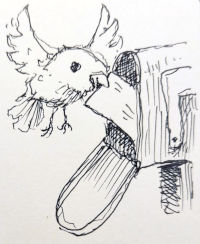
Sharing stuff with other people and being inspired by other people is an important part of what I enjoy about having hobbies.
Not to be a downer, but the current era has me feeling like I’m going a little bit crazy. Hearing from like-minded people is so important. I think that’s what is keeping me sane and grounded. If it weren’t for that, I think I would have to go fully offline to get the same effect.
Giving myself permission to relax and take my time with each message is really what this was all about. Because taking time with "a message" really means taking time with a person.
As I wrote almost exactly four years ago in Making Friends, it takes a little back and forth effort to make and keep a friend. I think that’s another thing that bothered me about my unanswered inbox: Feeling like I wasn’t being a good friend.
Hearing cheerful responses back to 9-month-old replies helped me shed the guilt. Everybody gets busy. People have been extremely understanding. I was even told by several people that I was a total amateur at late replies. Years is totally a thing. (What’s the latest reply you ever sent or received?)
Many people told me in their messages that I was under no obligation to respond. So I’d like to extend that back: No one is obligated to read, let alone respond to any of the emails I’ve sent back. And certainly not in any particular time frame.
In fact, thank goodness not everyone is replying to my replies immediately or my inbox would be back where it started!
Having said that, I’ve gotten some excellent conversations going (some new, some revived). I’ve got all sorts of cool project ideas, music recommendations, and things to read.
Going forward
Not rushing to get to "inbox zero" is actually one of the big lessons I’m taking from this.
Yes, having a completely empty inbox feels satisfying and makes total sense when your messages tend to be task-based. But I’m starting to believe it may not be a healthy way to think about handling personal correspondence. Taking time with each email is much more important than getting a response out right that very second.
(Having said that, I do probably need to get better at being a little less verbose. When someone mentions a subject I’m into, I get excited and it probably shows. But I think we’d both be better off if I didn’t type up every thought that comes to mind. I’ll work on that.)
Okay, that’s it. I’m happy to be back on track.
Oh, and I’ve gotten a lot of really nice feedback about the drawings I’ve been putting on my pages recently, so here’s the whole behind-the-scenes:
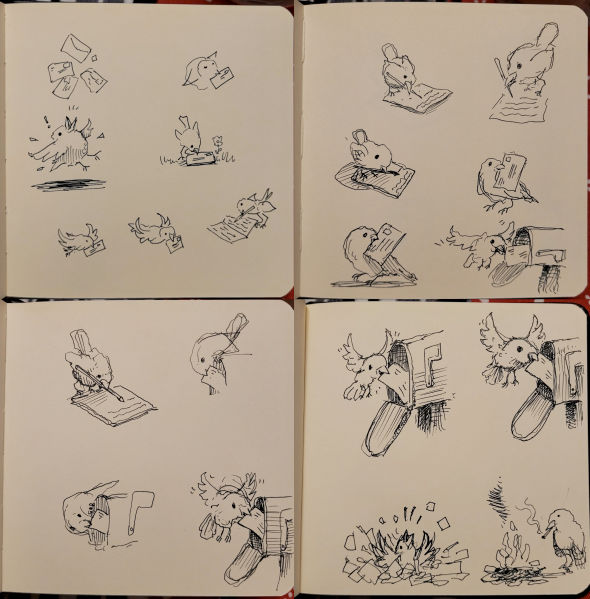
Above are my sketchbook pages. This sketchbook is about 12cm square and fits in the palm of my hand. The sketches were all scribbled with a Pilot Hi-Tec C 0.4mm gel ink pen, which makes appropriately thin lines for such a small sketchbook.
Thanks for reading, friends!